

Client-Server Architecture Explained
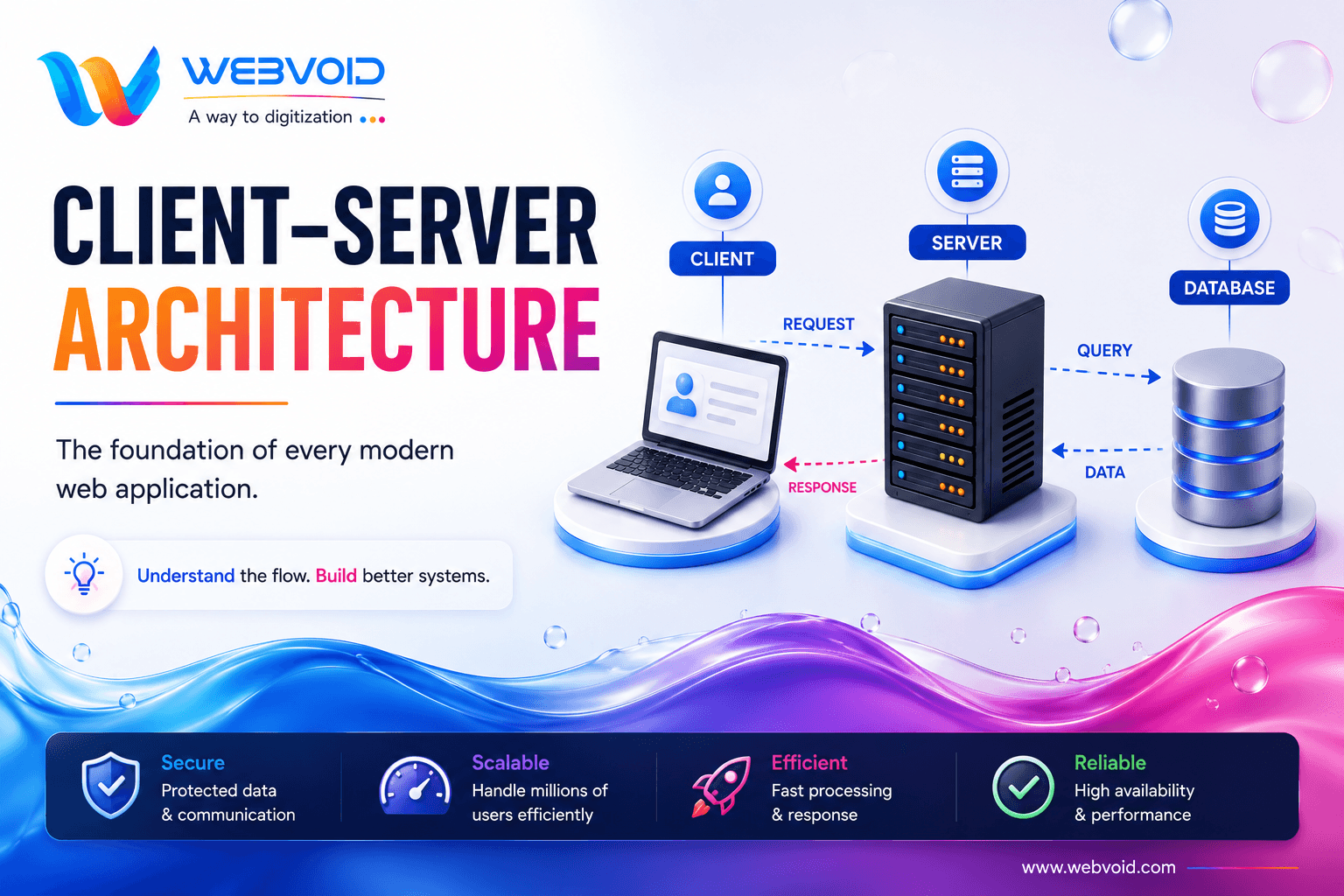
Every time you open a website, log into an application, or place an order online, a conversation begins between two essential components: the Client and the Server.
This simple architecture powers nearly every application you use today—from Instagram and Netflix to Amazon, ChatGPT, and your banking app.
Understanding Client-Server Architecture is one of the most important fundamentals for every developer because it forms the backbone of web development, APIs, authentication, and system design.
What is Client-Server Architecture?
Client-Server Architecture is a software design model where two separate components work together to complete a task.
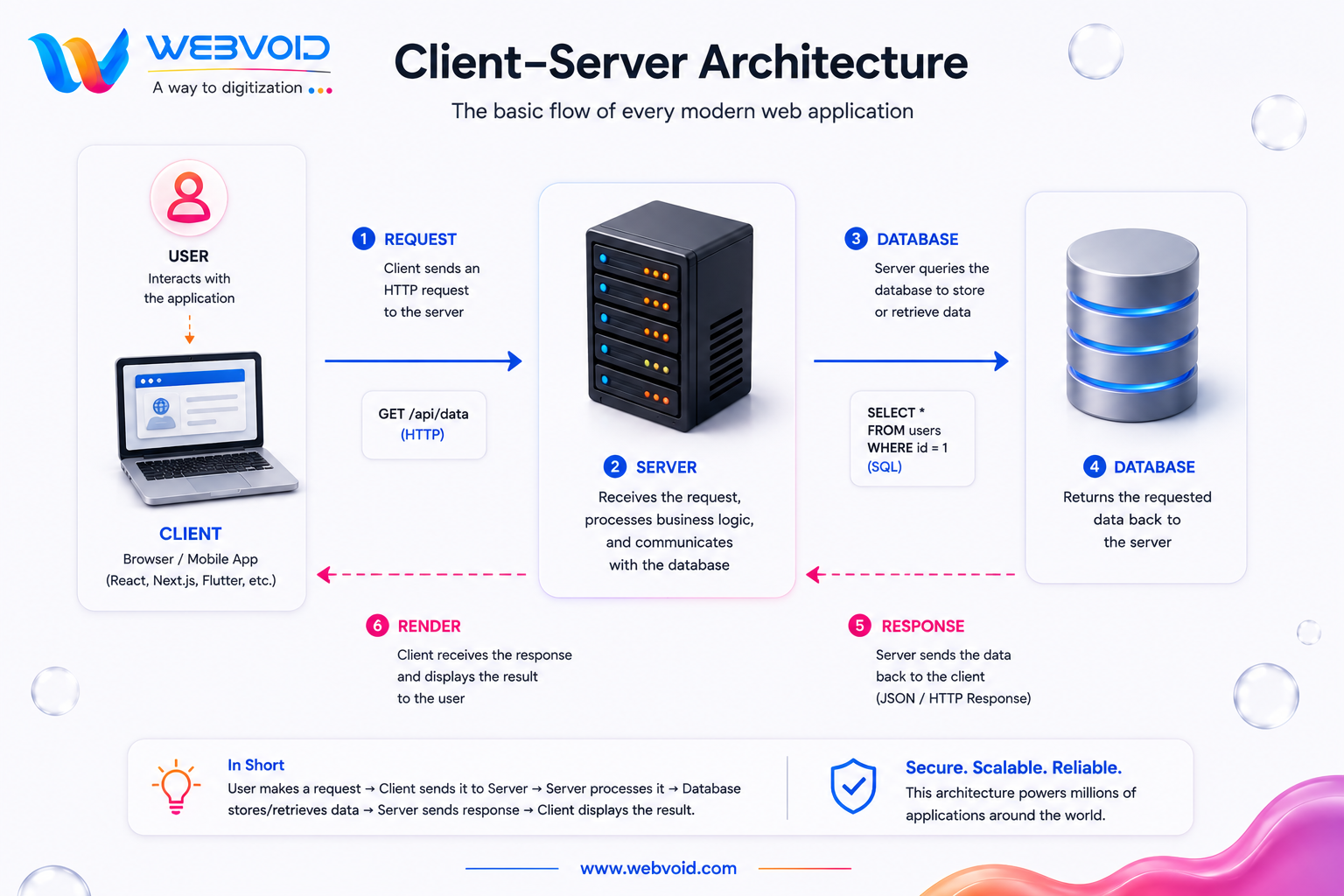
The Client is responsible for interacting with the user, while the Server processes requests, performs business logic, communicates with databases, and returns the required information.
Instead of storing and processing everything on your device, the application delegates complex operations to a centralized server.
The basic communication flow looks like this:
What is a Client?
A Client is the application users interact with directly.
Examples include:
- Web Browsers
- Mobile Applications
- Desktop Applications
- React Applications
- Next.js Applications
- Flutter Applications
The client is responsible for:
- Displaying the User Interface
- Accepting user input
- Sending API requests
- Displaying server responses
- Managing user interactions
The client does not directly access the database.
What is a Server?
The Server acts as the application's brain.
Its responsibilities include:
- Authentication
- Authorization
- Business Logic
- API Processing
- Database Communication
- File Storage
- Security Validation
- Response Generation
Popular server technologies include:
- Node.js
- FastAPI
- Django
- Spring Boot
- ASP.NET Core
The Complete Request Lifecycle
Let's understand what happens when you click the Login button.
Step 1
The user enters their email and password.
Step 2
The client sends an HTTP request to the server.
Step 3
The server validates the incoming request.
Step 4
The server queries the database to verify the user's credentials.
Step 5
If authentication succeeds, the server generates a JWT or session.
Step 6
The server sends the response back to the client.
Step 7
The client updates the interface and grants access to the application.
This entire process usually completes within a few hundred milliseconds.
Why Doesn't the Client Access the Database Directly?
Allowing clients to connect directly to a database would introduce serious security and scalability issues.
Using a server provides several advantages:
- Secure authentication
- Centralized business logic
- Data validation
- Role-based authorization
- API integrations
- Logging and monitoring
- Better scalability
This separation ensures applications remain secure, maintainable, and reliable.
Real-World Example
Imagine logging into Instagram.
- Enter your username and password.
- Instagram sends your request to its servers.
- The server verifies your credentials.
- The database checks whether the account exists.
- The server creates an authentication token.
- The client receives the response.
- Your home feed loads.
The same workflow is followed by platforms like Netflix, Amazon, LinkedIn, GitHub, and most modern SaaS applications.
Benefits of Client-Server Architecture
Better Security
Sensitive information stays on secure servers instead of being exposed to users.
Centralized Data
All users work with the same source of truth stored in a centralized database.
Easier Maintenance
Updating server-side logic doesn't require users to reinstall the application.
Scalability
As traffic grows, additional servers can be added behind a load balancer to distribute requests efficiently.
Faster Development
Frontend and backend teams can work independently using APIs.
High Availability
Multiple servers ensure applications continue running even if one server fails.
Common Tech Stack
Frontend
- HTML
- CSS
- JavaScript
- React
- Next.js
- Vue
Backend
- FastAPI
- Node.js
- Django
- Spring Boot
- Express.js
Database
- PostgreSQL
- MySQL
- MongoDB
- Redis
Cloud & Deployment
- Docker
- Kubernetes
- AWS
- Azure
- Google Cloud
- Vercel
Best Practices
- Never expose your database to the client.
- Always validate requests on the server.
- Use HTTPS for secure communication.
- Implement proper authentication and authorization.
- Cache frequently requested data.
- Monitor server performance.
- Scale horizontally when traffic increases.
Conclusion
Client-Server Architecture is the foundation of nearly every modern web application.
By separating responsibilities between the client and the server, developers can build applications that are secure, scalable, maintainable, and capable of serving millions of users.
Whether you're building a portfolio website, an e-commerce platform, a social media app, or an enterprise SaaS product, mastering Client-Server Architecture will help you understand APIs, authentication, databases, system design, and cloud computing more effectively.
As you continue learning backend development and system design, this architecture will become the building block for more advanced topics like load balancing, caching, microservices, and distributed systems.